(1).thumb.png.808a3fccbcd4a28de5d7f511832a1442.png)
Ruster.NET
Rust's first in-game social-media network. See what's up, chat with friends, share your experiences and make connections. Ruster.NET brings you a whole new system of communication! CHAT — SHARE — REACT WARNING: As stated in the License section of the plugin, you may NOT modify the plugin in any w...
 codefling.com
About Ruster.NET
.png.0f8b5392fe9d884c228c42657c85868c.png "1259777361_rusterv3_fhl(1).thumb.png.47ea93987e763c1ac9ffe97f228ae231.png")
Rust's first in-game social-media network.
See what's up, chat with friends, share your experiences and make connections.
Ruster.NET brings you a whole new system of communication!
CHAT — SHARE — REACT
WARNING: As stated in the License section of the plugin, you may NOT modify the plugin in any way.
If you wish to modify the logos, you may only do so using Ruster.NET Pro.
Not conforming to the license, will cause your server(s) to be permanently blacklisted.
[ ! ] PLEASE KEEP IN MIND THAT CERTAIN SERVER HOSTS DO NOT ALLOW YOU [ ! ]
[ ! ] TO IMPORT FILES/DLLS, WHICH THIS PLUGIN REQUIRES YOU TO [ ! ]
INCLUDED DLL EXTENSIONS REQUIRED
.png.51af7ed79f010849370a1dbf0245fbf9.png "1816538996_NewProject(12).png.51af7ed79f010849370a1dbf0245fbf9.png")
FEATURES
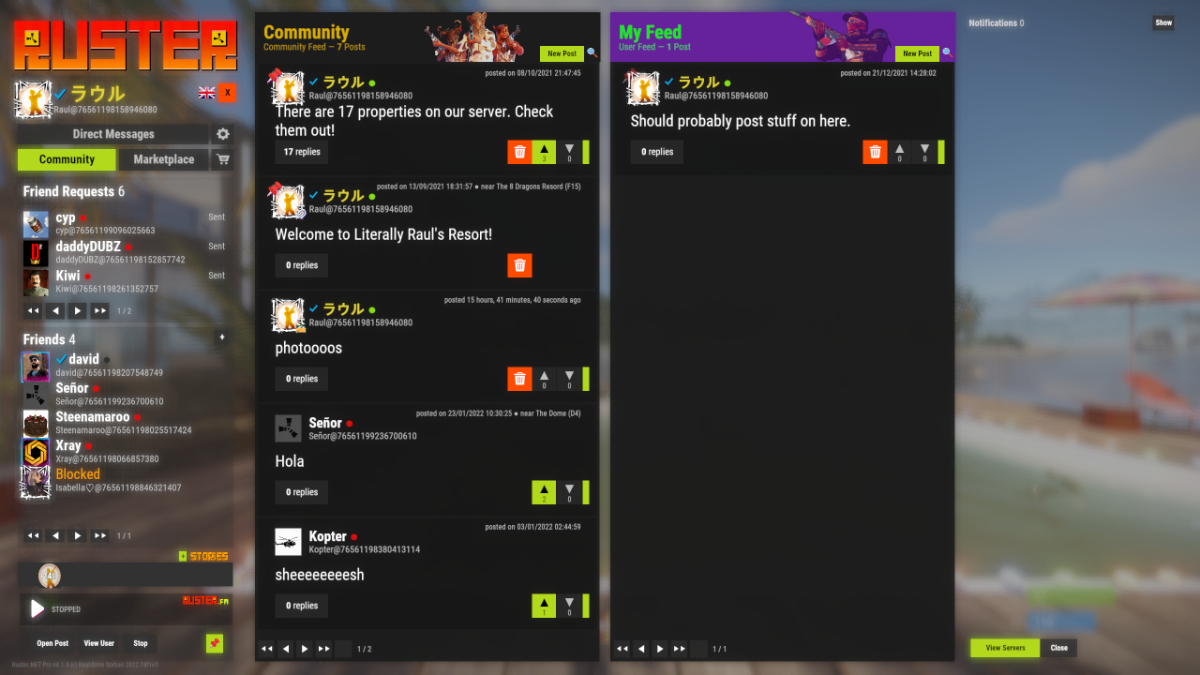
- Make friends, share moments and pictures you've made in the world.
- Like, dislike or comment to your friends' posts and photos.
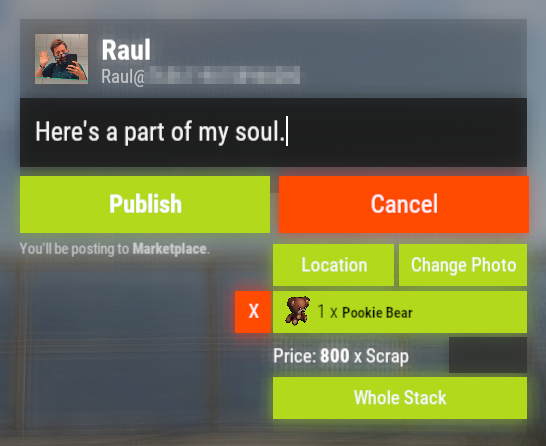
- Use the Marketplace to make a quick buck.
- Build your own marketplace and use the mass-restock feature.
- Block users and limit toxicity.
- Auto-moderation for obnoxious posts & censorship.
- Pay for advertisements which last from one day to a whole week.
- Rust+ integration.
- ServerRewards & Economics integration.
- Localisation integration -> if anything's wrong with any of the translations, let me know or help me translate.
- Ruster.FM, audio player.
- Cassette uploads (posts & DMs) -> Watch demo.
- Voice recordings (posts & DMs) - only available for Verified users.
- Submit your own snippets (upload 15 seconds - of your OGGs or YouTube links), only available for Verified users.
- Photographs (DMs) -> Watch demo.
- Sell art (Photographs & Cassettes) on the Marketplace or share them in posts.
- Browser sounds are only heard by you -> beeps, notifications, splash sounds.
- Hashtags used for filtering post content, the Marketplace can be sorted by sold items.
- Feed filtering / searching.
- Like & dislike previewer.
- SQL integration.
- Blackmarket & Red-Rooms.
- Stories.
- Cross-server support (view other servers' activities).
- Privacy mode (hide real names & Steam64 IDs) when streaming.
- Custom commands.
- Nicknames.
- Moderation tools.
- Pinning posts on top of feeds.
- Ruster.NET Internet.
- Groups.
- Stocks.
- Auto-locale updater.
- User & administration customisation.
- Custom colors.
- Color picker.
- Auto-language phrase updater.
- Reporting system.
- Track transactions & sales.
- Create coupons and sell items with discounts by sharing the coupon code.
.png.1a8c86a27c45feca2d1eec954f02a589.png "1363290780_NewProject(34).png.1a8c86a27c45feca2d1eec954f02a589.png") GIF playback.
GIF playback.- Flipbook system & custom items.
- Transaction lists (purchases & sales).
- User profile store for avatars, frames and banners.
- Trading system lists (only between friends).
- Gift Cards (50, 100, 250 and 500 in value) to share with your friends or turn it into Wallet money.
- Payment methods (wallet and server currency).
- Gift baskets and gift sending (pick a friend in User Settings, then buy marketplace listings, the items will go in their basket).
(5).png.473e79eb80ee2a9c08600043c8c82f34.png "1578006489_NewProject(3)(5).png.473e79eb80ee2a9c08600043c8c82f34.png")
ROADMAP
- Ruster.Addons is a tool and API system for Ruster.NET which allows you to run or create your own addons.
Per-user customization.Full-screen picture viewer.Discount codes.
(6).png.8449c44ad29a98d271dbf3a023ccab1d.png "1577220542_NewProject(3)(6).png.8449c44ad29a98d271dbf3a023ccab1d.png")
SQL INTEGRATION
MIGRATION
To successfully migrate from JSON to the SQL database, please follow the following steps:
- Run the save command in your console / webrcon.
- Update Ruster.NET to the latest in your server.
- Make sure your SQL database connection is alive and working.
- Save the server once again, for the configuration file to generate the new properties.
- Open the configuration file up and scroll down to the Sql section, fill it up accordingly.
"Sql": {
"Port": 3306,
"Hostname": "localhost",
"Database": "RusterNET_db",
"Username": "root",
"Password": "",
"Table": "RusterNETData"
} - After that is done, make sure you saved the configuration file, then run the o.reload RusterNET console / rcon command.
- While you're having the RusterNET.admin permission, run the /migratetosql chat command.
- The DataType property will switch to SQL and the SQL database will initialize, launch the connection and save the database on your SQL server.
.png.5aea7852d92b1ca5541e6bbd8c7d6d7a.png "1327197451_NewProject(11).png.5aea7852d92b1ca5541e6bbd8c7d6d7a.png")
FRIEND REQUESTS
Sending friend requests will immediately notify the other user about it. Once you're friends, you may both write posts on eachothers' feeds, rather than within the Marketplace &/or Global Feed.
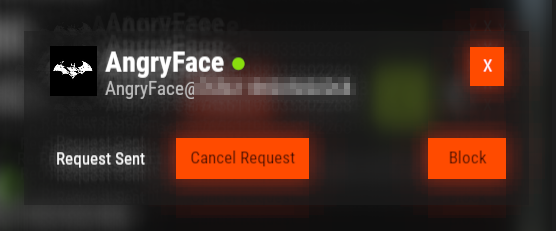

Cutting ties with a friend or blocking them, will ensure mutual communication blockage.
.png.a08633484a7e1d709a70145d9982e7cd.png "spacer.png")
PHOTOGRAPHS
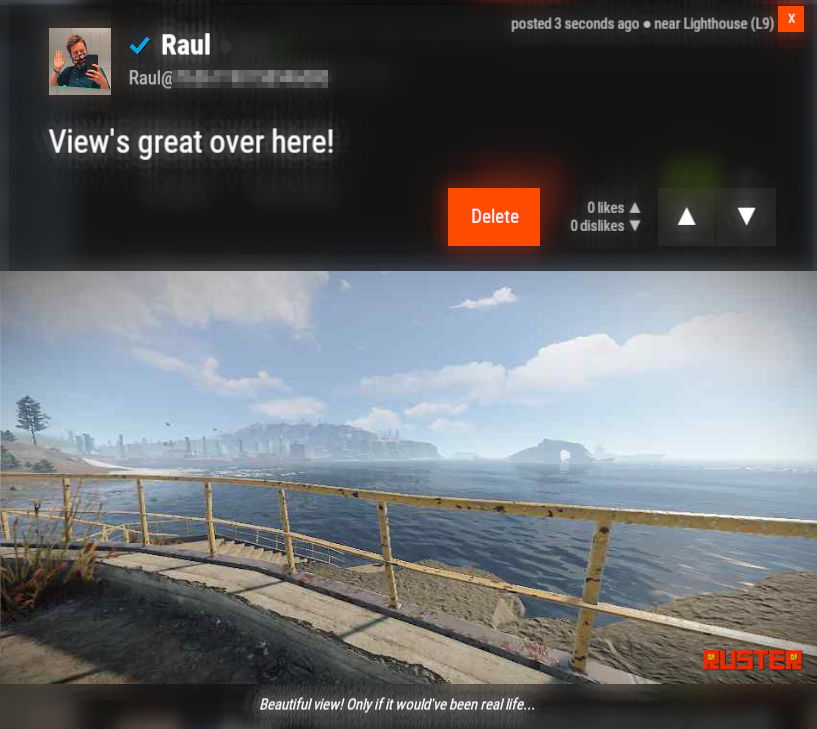
If you're a server administrator, here's how you set the photograph uploads up:
- Open up the RusterNET.json (config) file;
- Go to the Imgur Application Registration form and log-in if you haven't yet;
- Fill it up accordingly, but make sure the Authorization type is for Anonymous usage;
- The redirecting URL may be https://imgur.com.
- After all has been done, copy the ClientID and paste it in the RusterNET.json file config:
- PhotographUpload -> ImgurClientId
- To manage your Imgur Applications, go here.
.png.66a3edfb7d70735076f8d99f73ec4b35.png "626776616_RustClient_OQdgljfSTT(2).png.66a3edfb7d70735076f8d99f73ec4b35.png")

.png.73ae28b05b8133db222a4f4683908861.png "868495345_sadfasdfsadgwrgqerhgerhq(1).png.73ae28b05b8133db222a4f4683908861.png")
GIFS
With the addition of GIFs, you may share your favourite animated image stacks in your server!
.png.240ba30f1fca39e6bee218f2a67de4ab.png "16236903_sadfasdfsadgwrgqerhgerhq(5).png.240ba30f1fca39e6bee218f2a67de4ab.png")
PROFILE CUSTOMS
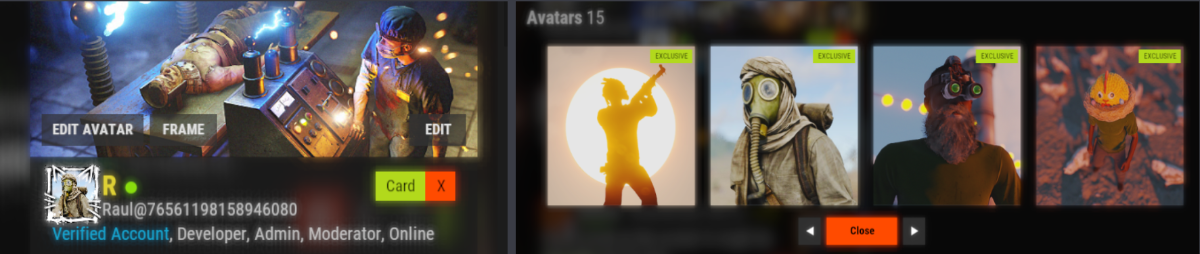
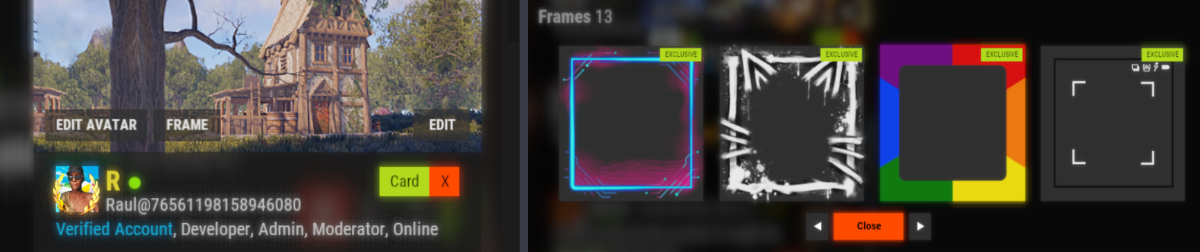
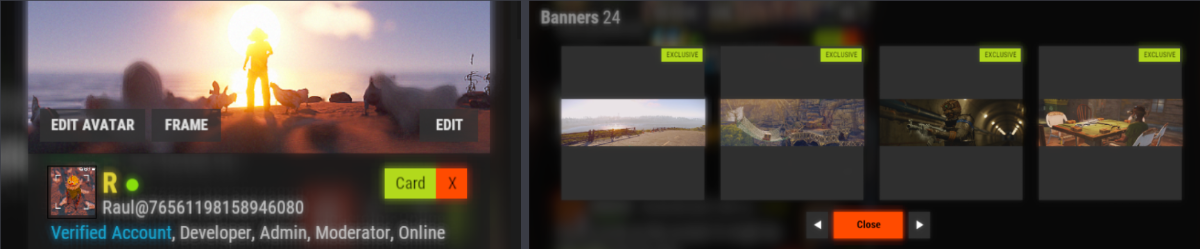
Users can customize their profiles in more interesting ways with predefined avatars, profile banners and avatar frames!

AVATARS
By default, Ruster.NET comes with a variety of predefined avatars (15 in total), 8 being free and the rest are exclusively found in the Profile Store.
FRAMES
Ruster.NET comes with a variety of exclusive avatar frames (13 in total) that can be found in the Profile Store.
BANNERS
Ruster.NET comes with a variety of exclusive avatar frames (13 in total) that can be found in the Profile Store.
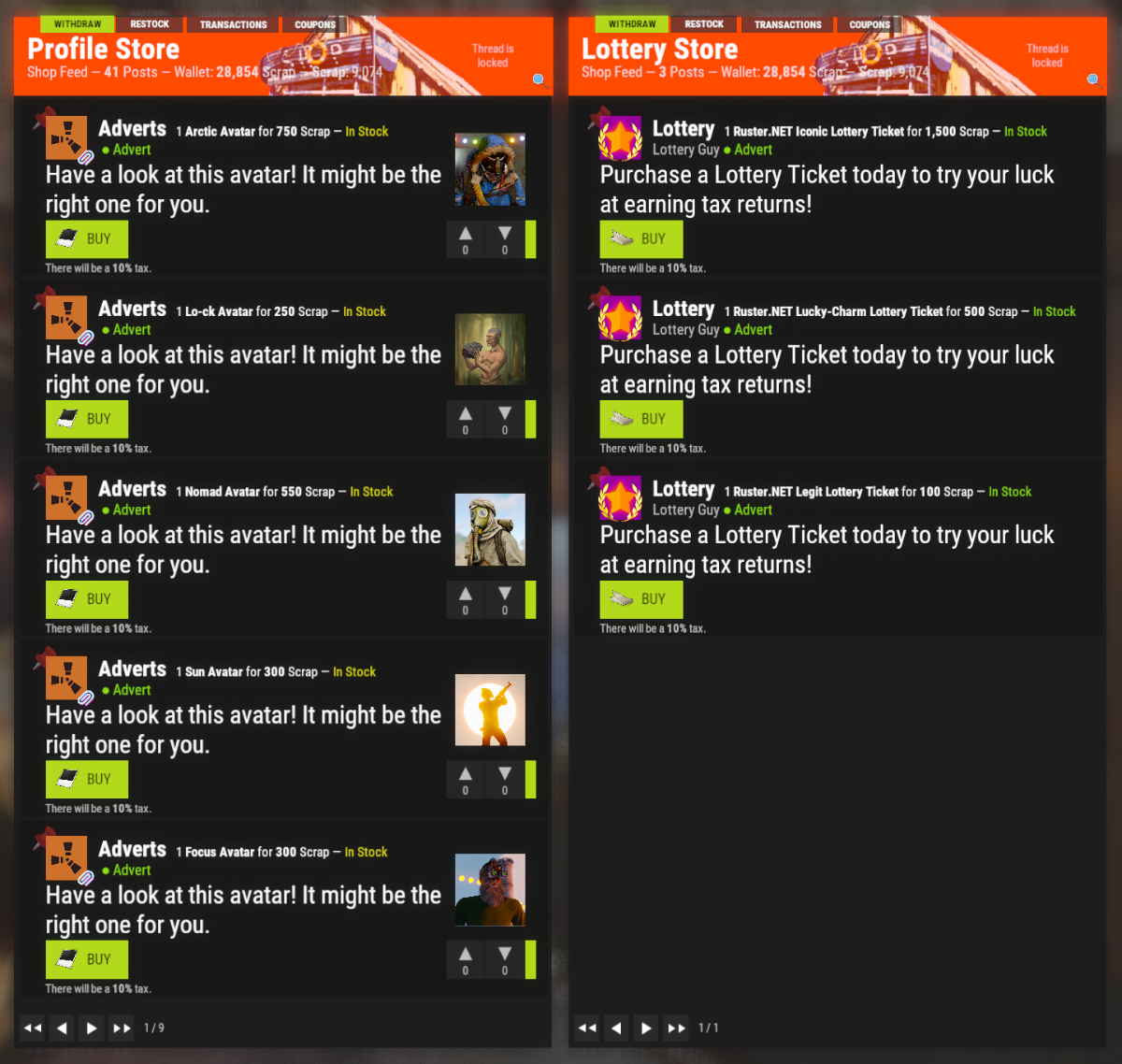
PROFILE STORE
Use the Profile Store to purchase all the exclusive items for your profile. All the prices or even the avatars, frames or banners can be reconfigured (or add more or less of them). I highly recommend to use the existent ones as a template so it blends in better.
.png.c381a2db7ba832ee4a80c65524ae1879.png "852943381_sadfasdfsadgwrgqerhgerhq(4).png.c381a2db7ba832ee4a80c65524ae1879.png")
FLIPBOOKS



Ruster.NET Short Flipbook Ruster.NET Medium Flipbook Ruster.NET Long Flipbook
Frames: 20 Frames: 40 Frames: 180
Costs: 50 x Scrap Costs: 85 x Scrap Costs: 150 x Scrap
Skin: 2741149446 Skin: 2741150219 Skin: 2741150823
Flipbooks are designed to allow your players to get creative by creating short films using the Instant Camera. They're cheap, get one, snap the thumbnail picture, take loads of pictures, each time moving slightly, and see your art come to life like people in the '60s did.
You may reset the Flipbook with a fee by using the Repair Bench. The fee is 25 Scrap by default.
The actual fee is scaled based on the type of Flipbook and how many frames have been consumed.
.png.e76ec86973a27ae41c3dc32eab1305ef.png "320436341_sadfasdfsadgwrgqerhgerhq(6).png.e76ec86973a27ae41c3dc32eab1305ef.png")
TRADING
You may send trade requests to your friends that live farther than where you are. This feature requires the RusterNET.trade permission to be able to see the blue Trade button under your friends' profile.
(7).png.0d8980783cf6e861da5f9da2bbc2308e.png "854505504_NewProject(3)(7).png.0d8980783cf6e861da5f9da2bbc2308e.png")
STORIES
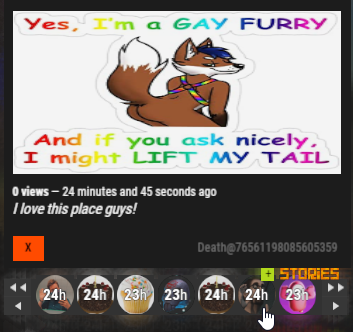
As you probably know, Stories on other social medias are pretty much posts that last for 24 hours. Same thing in Ruster.NET. You may add a message to your Photographs so they're also included with the Story you're willing to post.
Users can upload up to 5 stories at once, so use your space wisely. Once the stories run out, you'll be notified of how many views it has gained, in the notification list & push.
For users to be allowed to use Stories, an administrator must give specified users or groups permission: RusterNET.story.